
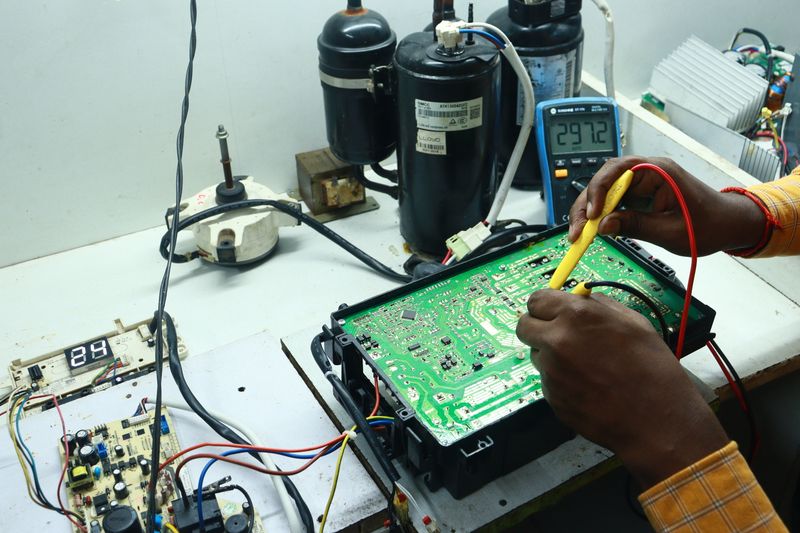
Optimize Your Appliance Repair Operations with WP Scheduling
Maintaining a structured appointment calendar while managing intricate repair requests can feel like a chaotic juggling act. You require a solution that values your time, monitors your inventory, and keeps your customers updated without forcing you to issue manual notifications for every scheduling modification.
I have dedicated considerable effort to testing WordPress extensions, only to discover that most scheduling tools are either too basic for commercial use or so resource-heavy that they degrade your website performance. Bookingor offers a fresh alternative, delivering precise configuration options that truly reflect the practical demands of operating a service-oriented enterprise.
Booking Experience and Layouts
Six Modern UI Designs
Ideal for professional service showcases
You are likely aware that if a scheduling interface appears outdated, your conversion rate will suffer immediately. Bookingor provides six unique visual templates that you can toggle to identify the configuration that perfectly aligns with your company identity and client expectations.
Whether you prefer a minimalist Two-Column Layout for mobile users or a comprehensive Sidebar Progress Wizard for involved, multi-step scheduling workflows, you have the necessary tools to maintain a seamless experience. Discovering such design versatility out of the box is rare, and it functions flawlessly across all device resolutions.
-
- Three-Column Layout for thorough information
- Two-Column Layout for routine tasks
- Sidebar and Top Progress Wizards to minimize form friction
- Slider Calendar and One-on-One Meeting views
Bookingor includes an extensive array of capabilities. Review the comprehensive features list for exhaustive details.
Category, Staff, and Services Views
Ideal for intuitive service browsing
When you manage diverse appliance repair specialties, forcing a customer to browse through every single choice is a strategic oversight. You can structure your booking portal to allow users to begin by exploring categories, selecting a preferred expert, or simply viewing the entire service catalog at once.
This methodology grants the user autonomy over their selection process. If you employ a renowned senior repairperson, the Staff View is a significant advantage for fostering trust. If your service offerings are extensive, the Category View prevents the interface from feeling overwhelming.
-
- Category-centric discovery for streamlined navigation
- Staff-centric selection for developing technician familiarity
- Direct service directory for high-intent visitors
Scheduling and Availability
Location Working Hours and Buffer Time
Ideal for multi-site operational management
If you dispatch repair crews from various locations, you cannot enforce a universal policy for everyone. You must account for regional traffic variances, distinct business hours, and the essential downtime required for cleaning equipment and traveling between service calls.
By establishing location-specific operating windows and incorporating automatic buffer intervals before or after each appointment, you eliminate the risk of double-bookings or impractical scheduling. It grants the flexibility required to maintain punctuality.
-
- Independent branch operational calendars
- Automated buffer intervals to account for transit
- Mandated break periods throughout the workday
Recurring Appointments
Ideal for ongoing service agreements
Appliance maintenance is frequently a repeat requirement. Manually rescheduling the same customer for their yearly heater inspection or seasonal filter change is a misuse of your management time.
Bookingor handles these repeating slots autonomously, reserving the necessary time on your agenda for future instances. You simply specify the frequency, and the system executes the process, ensuring those consistent revenue streams remain secured in your calendar without additional labor.
-
- Daily, weekly, or monthly repetition
- Automated slot reservation for future visits
- Streamlined renewals for service contracts
Payments and Pricing
WooCommerce, Stripe, and PayPal Integration
Ideal for versatile payment processing
Few things deter a booking more than a rigid payment platform. By integrating with WooCommerce, you gain access to more than 100 gateways and regional payment options that your clients already utilize, ranging from traditional cards to mobile payment apps.
The native compatibility with Stripe and PayPal is particularly beneficial. It allows you to initiate payment collection directly during the reservation flow, ensuring you receive compensation for your expertise before arriving at the client's property.
-
- Support for 100+ payment gateways
- Native compatibility with Stripe and PayPal
- Automated checkout currency conversion
Deposit and Partial Payments
Ideal for minimizing appointment absences
The primary challenge in the service sector is the last-minute cancellation. By necessitating a percentage-based fee or a flat deposit to verify a booking, you establish immediate accountability for the client.
This functionality shifts your reservation from a non-binding request into a professional commitment. I have observed that even a small deposit significantly impacts whether a customer honors their appointment or chooses to cancel at the eleventh hour.
-
- Adjustable percentage-based down payments
- Fixed-price deposit configurations
- Enhanced revenue security for extensive projects
Staff and Location Management
Staff Dashboard and Availability
Ideal for technician self-management
Your crew should possess the ability to oversee their own schedules, breaks, and time off without requiring your constant intervention. The staff dashboard offers a dedicated interface for them to approve or decline incoming bookings and synchronize their personal calendars.
This empowers the individuals performing the actual labor. When your technicians can modify their own shifts and intervals, your overall scheduling precision improves remarkably because the data remains accurate.
-
- Employee-managed work calendars
- Direct request handling for technicians
- Individual calendar synchronization tools
Google Maps Integration
Ideal for local service visibility
If you operate several branches, clients should be able to view their exact locations and select the one nearest to them. Google Maps integration facilitates this, enabling you to visually map out your service boundaries.
You can also utilize this to filter your technicians by geographic proximity. It enhances your professional image and assists your clients in feeling confident that they are selecting the branch capable of reaching their location promptly.
-
- Interactive location map visualization
- Region-based service filtering
- Distance-aware branch selection
Notifications and Integrations
Automated Alerts
Ideal for consistent client updates
Delivering a confirmation email is the bare minimum. You need a method for sending timely reminders via SMS or WhatsApp to remain competitive. Bookingor equips you with these tools to ensure clients remain aware of their upcoming repair sessions.
When you automate these communications, your outreach remains consistent and professional, regardless of how chaotic the office becomes. It is the type of attention to detail that cultivates long-term customer loyalty.
-
- Automated email alerts for all participants
- WhatsApp API integration for immediate contact
- SMS notifications to reduce cancellation rates
Zoom Integration
Ideal for remote diagnostic sessions
Occasionally, visiting a residence is unnecessary to identify an issue. Utilizing the Zoom integration, you can provide virtual consultations to evaluate an appliance before dispatching a technician for an in-person repair.
The platform generates the meeting link automatically, distributes it to both the technician and the user, and keeps everything synchronized. It is an intelligent strategy to refine your diagnostic process and spare your crew from redundant site visits.
-
- Automated virtual meeting link creation
- Seamless technician-client synchronization
- Optimized remote troubleshooting workflow
Customization and Admin Tools
Live Editor Panel
Ideal for instant aesthetic adjustments
Most scheduling tools force you to save, reload, and review your site repeatedly just to modify a color. The Live Editor Panel in Bookingor permits you to customize fonts, buttons, and layouts while observing the changes materialize in real-time.
Ensuring your design aligns with your brand identity makes the reservation process feel like a seamless part of your website. It is a clean, adaptive interface that avoids the usual complications of WordPress styling updates.
-
- Instant visual style feedback
- Complete control over interface elements
- Live preview for every layout configuration
Custom Form Fields
Ideal for capturing specific data points
Standard name and contact forms are seldom sufficient when repairing hardware. You often require the model number, current symptoms, and potentially a photograph of the failure before your arrival.
With custom form fields, you can incorporate dropdowns, file upload buttons, or checkboxes into the booking sequence. You can even employ conditional logic to present specific inquiries based on previous responses, ensuring the form is as intelligent as your repair techniques.
-
- Dynamic inputs, checkboxes, and menu selections
- File upload functionality for diagnostic photos
- Conditional logic for smarter data intake
I trust this overview illustrates how a specialized scheduling solution can transform your business operations. Transitioning away from manual calendars is a significant move, yet it is one that yields dividends in reclaimed time and operational accuracy. Prepared to begin? Obtain the free Bookingor plugin from the WordPress repository, or elevate to Bookingor Pro for advanced capabilities and priority support.





0 comments for this post