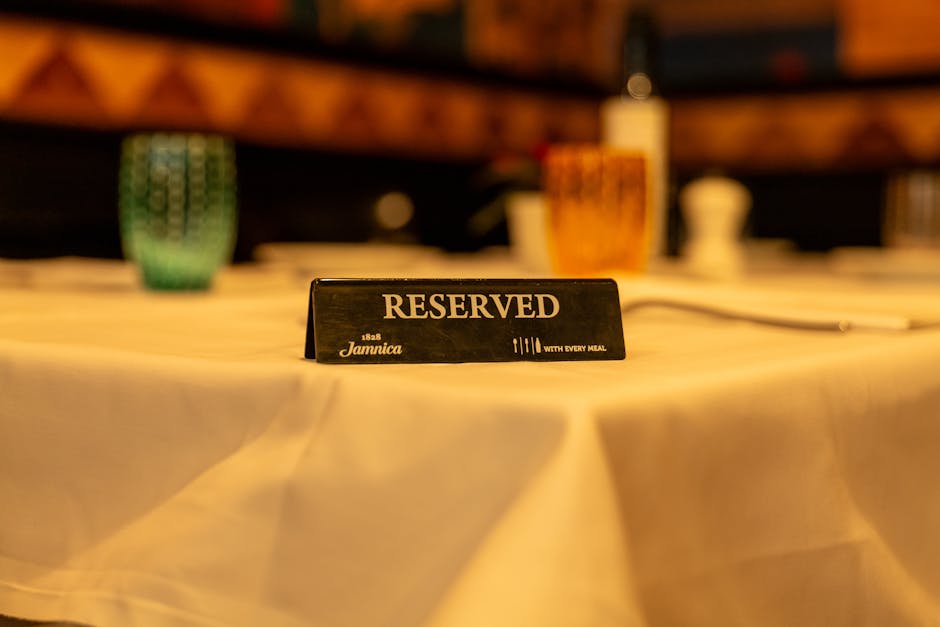
Stop Losing Revenue to Empty Tables with Smarter WordPress Booking
Reservations are the lifeblood of a busy restaurant, but manual tracking often leads to chaos during the dinner rush. You might find yourself juggling phone calls while trying to seat a large party, leading to mistakes and lost data. Switching to a digital system takes the pressure off your front-of-house staff and ensures every table remains occupied. It creates a professional flow that keeps both your kitchen and your customers happy throughout the night.
Bookingpress
Best for: Managing dining room traffic
Bookingpress offers a reliable way to organize your seating chart without constant manual oversight. You can install it directly onto your WordPress site and start taking bookings immediately to keep your floor filled. The interface lets you set specific time slots so you never accidentally overbook a busy Friday night. It acts as a digital gatekeeper that stays awake even when your doors are closed for the day.
The plugin gives you total control over how guests interact with your schedule. You can decide how much time each party gets at a table based on the number of people in their group. This setup ensures you turn tables efficiently without making your guests feel rushed or neglected. It provides a clear overview of your daily capacity at a single glance, helping you plan your staffing needs more accurately.
Features and Best Use Cases
- Automated SMS notifications send reminders to guests to prevent costly no-shows.
- Deposit integration allows you to collect payments during the booking process to secure the table.
- Custom booking forms collect data about allergies or birthdays before guests arrive at the venue.
- The calendar dashboard allows managers to see the entire floor plan and daily schedule at once.
- Email confirmations trigger immediately after a guest completes their reservation to provide peace of mind.
- Holiday management lets you block out specific dates or change hours for special seasonal events.
Using this tool means you can stop worrying about lost scraps of paper or messy handwriting in a physical ledger. All guest data stays in one organized place, making it easy to track repeat customers and their specific preferences. You can export these lists to help with your marketing efforts or loyalty programs later. It builds a bridge between your kitchen staff and the people waiting for their food.
I find that the notification system is the most valuable part of this tool for any busy owner. Many people simply forget their bookings, which leaves your tables empty and your staff standing around with nothing to do. By sending a quick text a few hours before the meal, you significantly increase the chances of the guest showing up. If they need to cancel, they can do so easily, freeing the table for someone else.
The Impact of Automated Bookings
Reducing No-Shows with Reminders
Empty chairs are the silent killers of restaurant profit margins, especially on weekend nights. When a guest fails to show up, you lose the revenue from the food and the potential tips for your staff. Automated reminders act as a gentle nudge that keeps your restaurant at the top of the guest's mind. Most people appreciate the reminder because it helps them stay organized during their own busy days.
If a guest realizes they cannot make it, a digital system allows them to cancel with a single click. This instant update reflects on your dashboard, allowing you to offer that spot to a walk-in customer or a waitlist entry. This fluidity prevents the frustration of seeing an empty table during a rush. It turns a potential loss into a new opportunity for a different diner to enjoy your menu.
Maximizing Table Turnaround Times
Efficiency in the dining room is about more than just fast service; it starts with the reservation schedule. By setting clear durations for different meal types, you can predict exactly when a table will become available again. This precision allows you to book multiple parties for the same table throughout the evening. You avoid the awkward gaps where a table sits empty for thirty minutes between seatings.
Data from your booking tool helps you identify which nights are your slowest and which are your busiest. You can use this information to create mid-week specials or early-bird discounts to even out the traffic. Having a clear record of guest flow helps you optimize your inventory and reduce food waste. It gives you the hard numbers needed to make smart business decisions for your establishment.
Best Practices for Digital Reservations
To get the most out of your WordPress plugin, you should make the booking button prominent on your homepage. Guests should not have to hunt through three different menus just to find a spot for dinner. A clear, high-contrast button encourages immediate action and reduces the bounce rate on your website. This small change can lead to a noticeable increase in total weekly bookings.
You should also spend time customizing your confirmation messages to reflect your restaurant's personality. A warm, welcoming email sets the tone for the dining experience before the guest even enters the building. Include essential information like parking instructions or your dress code to prevent any confusion. These small details show that you care about the guest experience from start to finish.
Managing a restaurant is demanding work, but your booking system should not add to the stress. By moving your reservations to WordPress, you create a central hub for all guest interactions. This shift allows you to focus on the quality of the food and the atmosphere of the room. A well-managed floor leads to happier guests, better reviews, and a much healthier bottom line for your business.